
How to Extract Audio Without Re-encoding
Learn what audio stream copy means, when AAC or Opus can be extracted without re-encoding and when MP3 conversion is required.
By MP4ToMP3.tools Editorial Team · 2026-09-03 · Updated 2026-09-10
Extracting audio does not always require decoding and encoding it again. If the
audio codec is compatible with a suitable output container, FFmpeg can copy the
audio packets directly. FFmpeg calls this streamcopy and selects it with
-c:a copy for an audio stream.
Stream copy versus transcoding
Stream copy moves encoded packets from one container to another without decoding the samples. It is normally quicker and avoids generation loss because the audio payload is not re-encoded. It does not improve the source, repair damaged packets or make an incompatible codec universally playable.
Transcoding decodes the source audio and encodes a new stream, such as MP3. It is necessary when the desired output codec differs from the input codec or when the original audio is not supported by this site's verified copy profiles.
The verified Original choices on this site
The Extract Audio from Video page probes the first audio track before choosing an output:
- AAC from a compatible MP4 or MOV input can be copied into an M4A container.
- Opus from a compatible WebM input can be copied into an Ogg Opus file.
- A tested WebM file containing Vorbis is not offered as an Original result. The page returns a clear unsupported-original-audio error, and you can switch the same selected file to MP3 and retry.
Those are tested boundaries, not a claim that every AAC or Opus profile or every container variation works. If a file has no audio track, is corrupt or uses an unsupported container, copying cannot create a usable result.
How to use Original extraction
- Open Extract Audio from Video.
- Select Original audio before choosing a file, or change the mode after selection.
- Choose a supported local MP4, MOV or WebM file.
- Click Extract audio. The browser loads the local FFmpeg runtime only then.
- Play the result with the native audio control and download it.
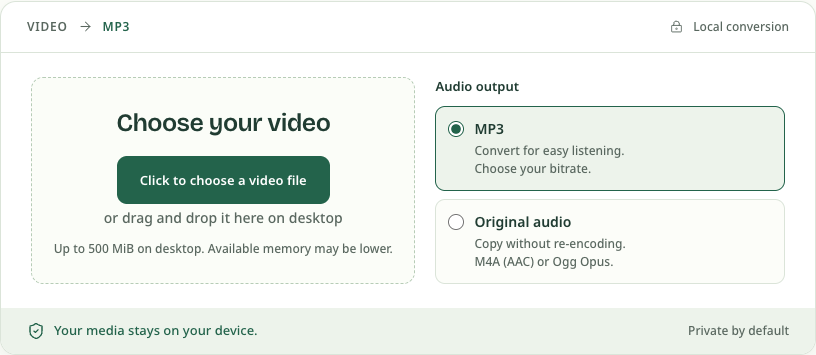
If Original is rejected, switch to MP3 without uploading or reselecting the media, then use Retry. MP3 conversion is lossy, so it should not be described as original or lossless extraction.
What the two Original results look like
We extracted the audio from two generated clips in Chrome on September 10, 2026, then played and downloaded each result and checked its codec. These are small test tones, not recordings from a camera or a test of every codec profile.
| Input sample | Original result | What stays the same |
|---|---|---|
| MP4 with AAC | M4A sample, 25.65 kB | AAC audio, 48 kHz, one channel |
| WebM with Opus | Ogg Opus sample, 19.14 kB | Opus audio, 48 kHz, one channel |
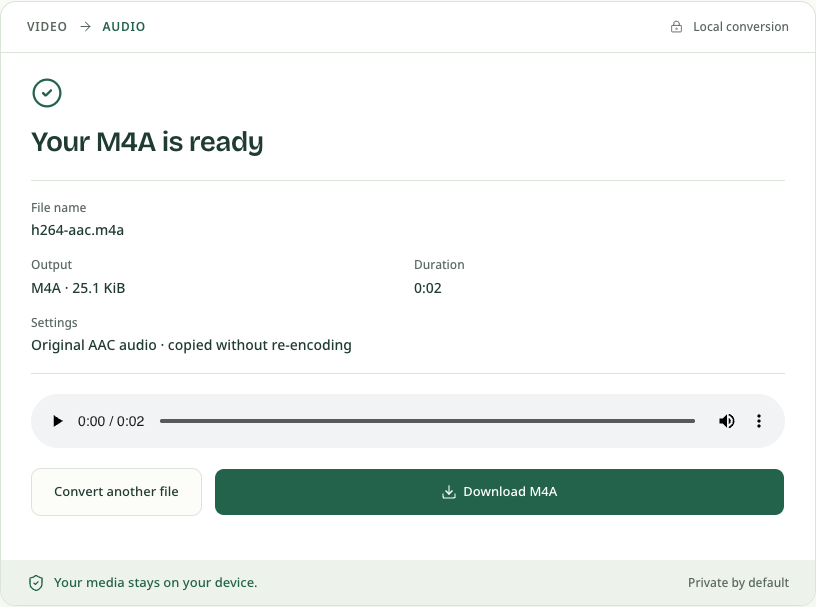
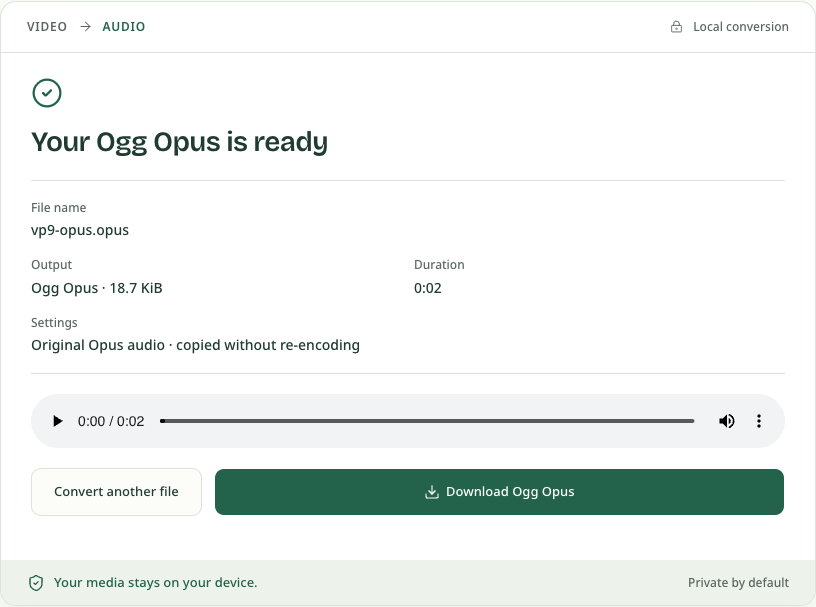
Download before resetting or closing the page. If the destination app requires MP3, use Video to MP3 or switch the selected file to MP3 here. The tool uses the first audio track; it does not offer a track picker for choosing another language or commentary track.
Why the output extension changes
A codec is the encoded audio format; a container organizes encoded streams and metadata. AAC is commonly carried in the ISO Base Media family, so this tool uses M4A for an audio-only AAC result. Opus has a defined mapping for Ogg, so this tool uses an Ogg Opus result. Renaming a file extension would not perform that muxing.